New: Discord: session invite DMs, channel posts, and reminders.See Discord integration

Windows app · Steam and Epic

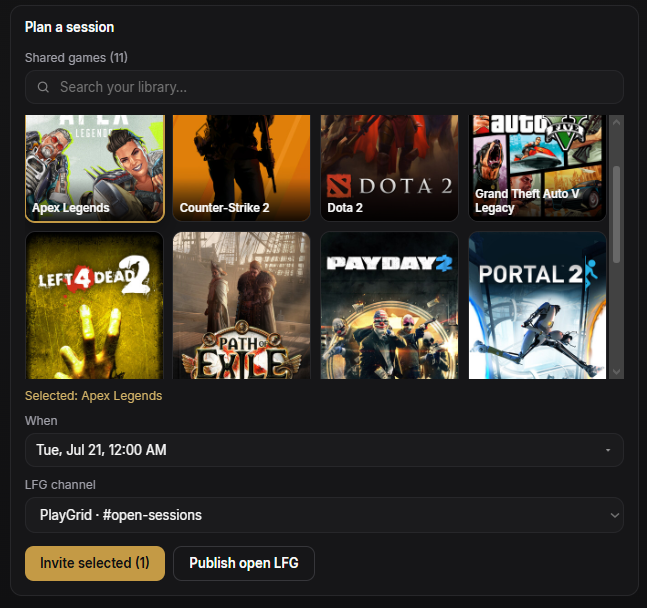
Plan co-op: shared games, a time, and invites.

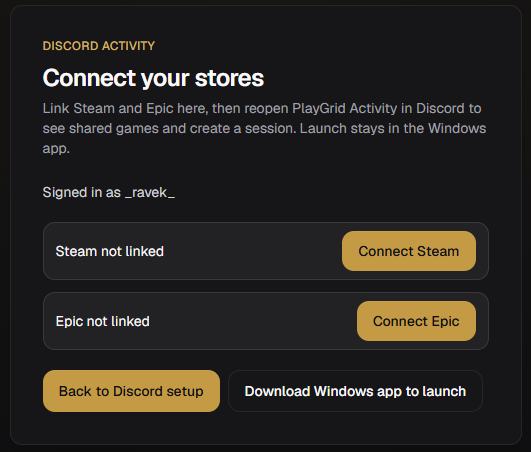
Link Steam and Epic, sync owned titles into one library, see which games your friends also own, and schedule a session with invites. Download for Windows 10+.

  • Combined library - Steam and Epic in one list after you link accounts and sync
  • Shared games - Owned titles your group can launch - compared from linked libraries
  • Session - Game, start time, accept or decline - optional Discord notify
PlayGrid

Play windows

When you're usually free - find overlap with friends.

Less-More
M
T
W
T
F
S
S
6p
7p
8p
9p
10p
11p

Next session

Hades II - escape run

Confirmed
Fri, Dec 13·8:00 PM · 2h
ARMK+2

Slot lines up with the group's heatmap - everyone's free.

One librarySteam and Epic after you link and sync
Friend overlapOwned games compared across your group
LaunchStart the game from the same Windows app

New integration

Discord notifications for sessions

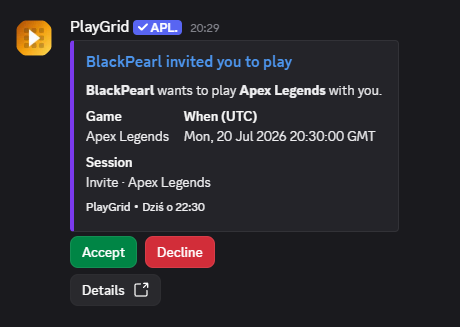
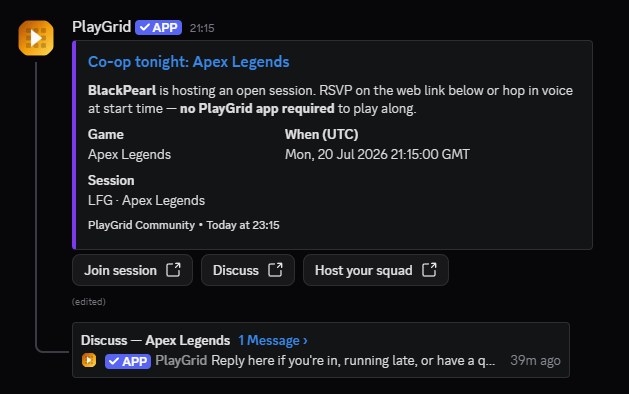
Schedule in PlayGrid - game, time, and who is in. Link Discord to send invite DMs, post to a channel you pick, and send reminders.

  • Link once in settings

    OAuth connect - separate from login. You choose what PlayGrid can send.

  • Invite DMs

    Friends get the session in Discord - game, time, and a quick way to say they're in or not.

  • Post to your channel

    Optional server channel when you create a session - the whole squad sees the plan.

  • Reminders & updates

    Nudges before game night, plus updates when someone joins, passes, or votes on a game.

game-nightPlayGrid

PlayGrid Bot·Today at 6:42 PM

Helldivers 2 - Friday 8:00 PM

Alex invited you to a session. Accept to lock in your spot.

AcceptDecline

Reminder DM · 1 hour before start

What's in the app

Library sync, friends, sessions, and launch on Windows.

  • Libraries

    Link Steam and Epic, sync your library, and browse one combined list.

  • Friends

    Connect by email and find games you both own.

  • Sessions

    Create a session with game, time, and invites; optional Discord DMs or channel post.

  • Cross-store grouping

    Same title on Steam and Epic? When we match it, PlayGrid groups it in one row and keeps each store visible.

  • App layout

    Library, friends, and sessions - no social feed.

  • More stores

    GOG, Xbox, EA, and Ubisoft library sync is on the roadmap.

How it works

From linked libraries to a scheduled session.

  1. 01

    Plan

    Pick a game from your library and a start time.

  2. 02

    Invite

    Send invites; friends accept or decline in the app or via Discord.

  3. 03

    Play

    At session time, see who is in and launch from PlayGrid.

Download for Windows

Run the installer on Windows 10+, or open the browser demo with sample data first.

FAQ

Windows app, Steam and Epic sync, sessions, and download.

What is PlayGrid?
PlayGrid is a Windows app that syncs Steam and Epic libraries, compares owned games with friends, schedules sessions, and launches games from one place.
Is PlayGrid free?
The Windows app is free to download. We plan a usable tier without a subscription at launch; any paid tiers would be announced before they apply.
How do I download PlayGrid for Windows?
Go to playgrids.app/download and run the installer (Windows 10 or newer). You can also try the browser demo first - sample data, no install.
Why does Windows block the PlayGrid installer (SmartScreen)?
Defender SmartScreen often warns on new desktop apps with unknown publisher until Microsoft builds reputation. Download only from playgrids.app/download, then use More info → Run anyway on the SmartScreen dialog. Full steps: playgrids.app/download/install.
How do I find friends to play with in PlayGrid?
Add friends by email, open shared games to see titles you all own, then create a session and send invites.
Does PlayGrid sync Steam and Epic libraries?
Yes - that is what the Windows app is built for. You link Steam and Epic, sync owned titles, and launch from PlayGrid. When we recognize the same game on both stores, we group it in one row and show where you own it; other overlaps may still appear separately. You can also add games manually with an .exe path. OAuth library sync for GOG, Xbox, EA, and Ubisoft is on the roadmap. Download the Windows installer at playgrids.app/download.
How does scheduling a gaming session work?
Pick a game from your library, set a start time, and send invites. Friends accept or decline in the app; you can also notify Discord.
How much time does PlayGrid save when planning game night?
Groups often spend 15-30 minutes before launch on ownership checks and scheduling back-and-forth. PlayGrid puts library overlap, session details, and launch in one app.
Does PlayGrid work with Discord?
Yes. Link Discord in the Windows app for session invite DMs and reminders, and optionally post new sessions to a channel you choose. Planning stays in PlayGrid; voice and chat stay in Discord.
How do I report a bug or send feedback?
Use Help on playgrids.app/contact to email us. For bugs, include steps to reproduce. In the Windows app, export a support package from Account settings and attach it to your message.