
Co-op logistics · Discord Activity
Play PC games with friends without losing the plan in DMs
Add friends by email. See which games your group can launch together before someone buys the wrong title.
- Add friends - Invite people you already play with. Not random matchmaking.
- Shared games - One list of titles everyone in the group owns across linked stores
- Session invite - Game, time, and who's in. Pinned so chat doesn't bury it.
Friends
Select friends from your list. Everyone gets a session invite.
Add friend- frostbyte
- tracermain
- novamoss


Shared by you and 3 friends: 4 titles

Helldivers 2
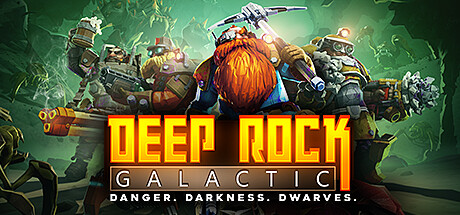
Deep Rock Galactic
Sea of Thieves

Monster Hunter Wilds
Upcoming sessions
Helldivers 2
ConfirmedFri, Oct 30 · 7:00 PM
When group chat stops working
Discord and Steam chat are great for banter. They are poor calendars. A time lands in one message, the game in another, and half the group replies on Sunday. Friday ends with no pinned plan.
Store clients only show your library. They do not show what your whole group can launch together across linked stores.
What PlayGrid adds for your group
Friends tab: add people by email and see shared games before game night.
Sessions tab: pin game, time, and invites so late joiners are not scrolling chat for details.
Filter to games everyone owns before you suggest co-op. Nobody buys a surprise title or waits on an install the group can't run.
A repeatable Friday loop
- Sync libraries if someone bought or claimed a free game. See the re-sync guide.
- Filter shared games for who's playing tonight.
- Shortlist and pick with the what to play together.
- Pin one session invite. RSVP in Discord Activity. Start the title in Steam or Epic.
Who this path is for
You already have a Discord server, Steam friends, or a Friday group that keeps trying to sync up.
PlayGrid is not LFG or random matchmaking. It is for people who already play together and want less friction before anyone loads in.
What stays in Discord and your store clients
Voice, banter, and clips stay in Discord. Purchases and most installs still happen in Steam, Epic, or EA.
PlayGrid sits between chat chaos and store tabs: shared ownership and a pinned session. Steam and Epic still start the title.
Guides for playing with your group
Step-by-step walkthroughs for shared games, picking a title, and your first game night.
- Guide
Find PC games your whole friend group already owns
Shared games are titles every invited friend can launch tonight from linked Steam, Epic, and EA libraries. Not wishlists, backlog polls, or games only one person owns. Compare ownership for tonight's roster, then shortlist from overlap.
- Guide
What games can we play together on PC tonight?
Tonight you can only launch what everyone on the roster already owns across linked Steam, Epic, and EA. Build a shortlist of two to five from that overlap, pick one, and pin a session. Skip the backlog poll in Discord.
- Guide
Co-op when one of you buys on Steam and the other on Epic
Compare libraries as a pair. Shortlist shared titles. Schedule one session. No library screenshots in chat.
- Guide
PC co-op game night checklist before you send the invite
Six steps so Friday starts in-game, not in another planning thread.
- Guide
Pick a multiplayer game without another Discord poll
Filter to titles everyone owns, shortlist 2-5, then pin one on the session invite.
- Guide
Add PC gaming friends by email. Without store friend codes
One friends list for your squad. Compare linked libraries across stores.
- Guide
Your first PC game night with PlayGrid
Six steps from Discord setup to a pinned session. No installer.
- Guide
Wishlists vs owned games for multiplayer planning
Shared games counts libraries you can launch. Not what everyone wants to buy someday.
- Guide
Rotate who picks the co-op game each week
The picker builds a 2-5 list from overlap. Not from personal backlog favorites.
- Guide
Plan a co-op night when only part of your squad plays tonight
Run overlap for the people actually showing up. Not the entire Discord server.
- Guide
Find shared Steam and Epic games in Discord Activity
Ask “what can we play?” for the people on the call - with ownership across stores, not a Steam-only slash command.
Plan the next night in Discord
Link stores, add friends by email, and see shared games before your next session.